
Test Cases
A test case is a single scenario composed of ordered template steps.
Workflow context
Section titled “Workflow context”Test cases are where reusable assets become a specific business scenario. Environments and modules still need to exist before you create a test case, because suites belong to modules and environments help with locator creation. From the test case form, you can create or select suites and tags, then build steps in the flow builder. When a step needs a locator, create it from the node addition sidebar or select an existing locator.
Core building blocks
Section titled “Core building blocks”- Modules -> groups for test suites
- Environments -> test environment configurations, such as base URLs and API routes. Environments are not required to fill out test case metadata, but they are helpful when creating locators from the builder.
- Test suites -> groups for test cases
The test case creation process has two parts:
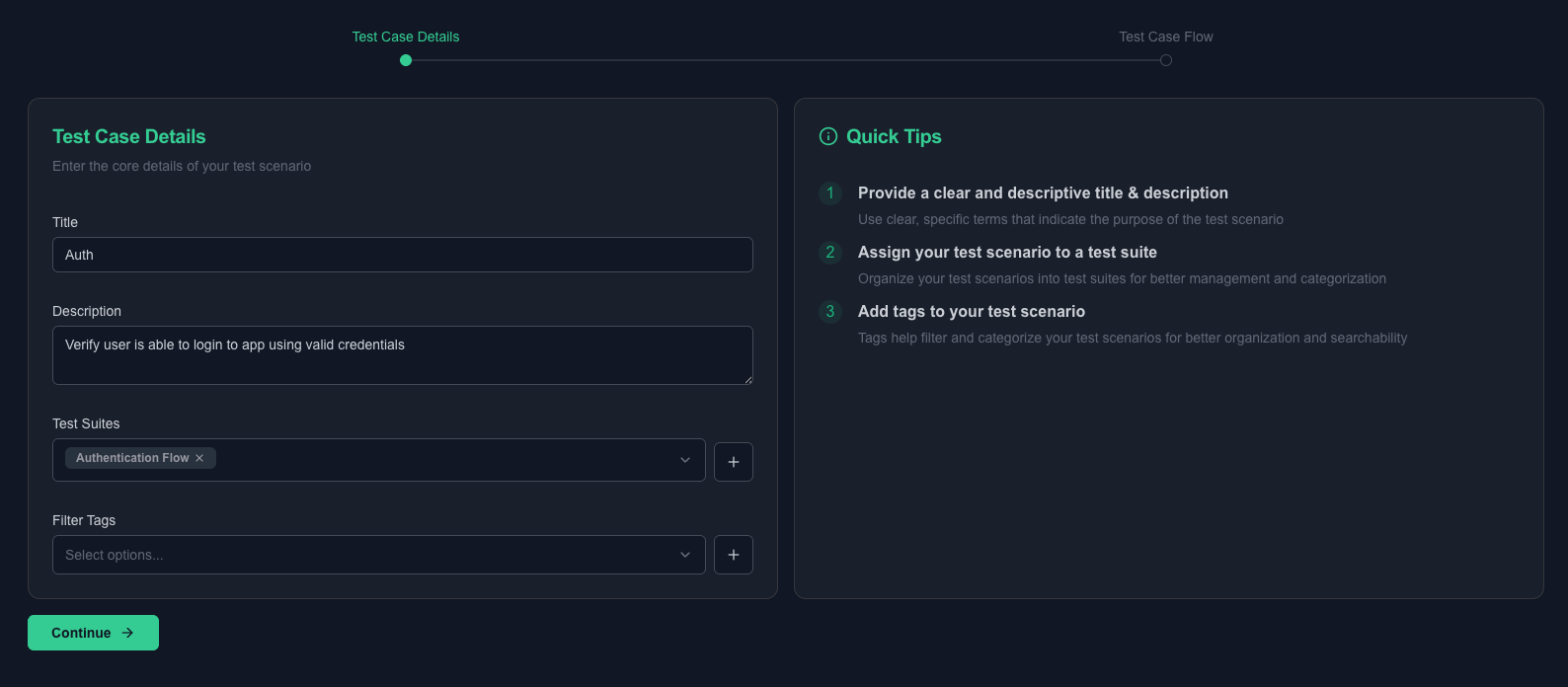
- Test case metadata -> setting the test case title, description, test suite, and tags
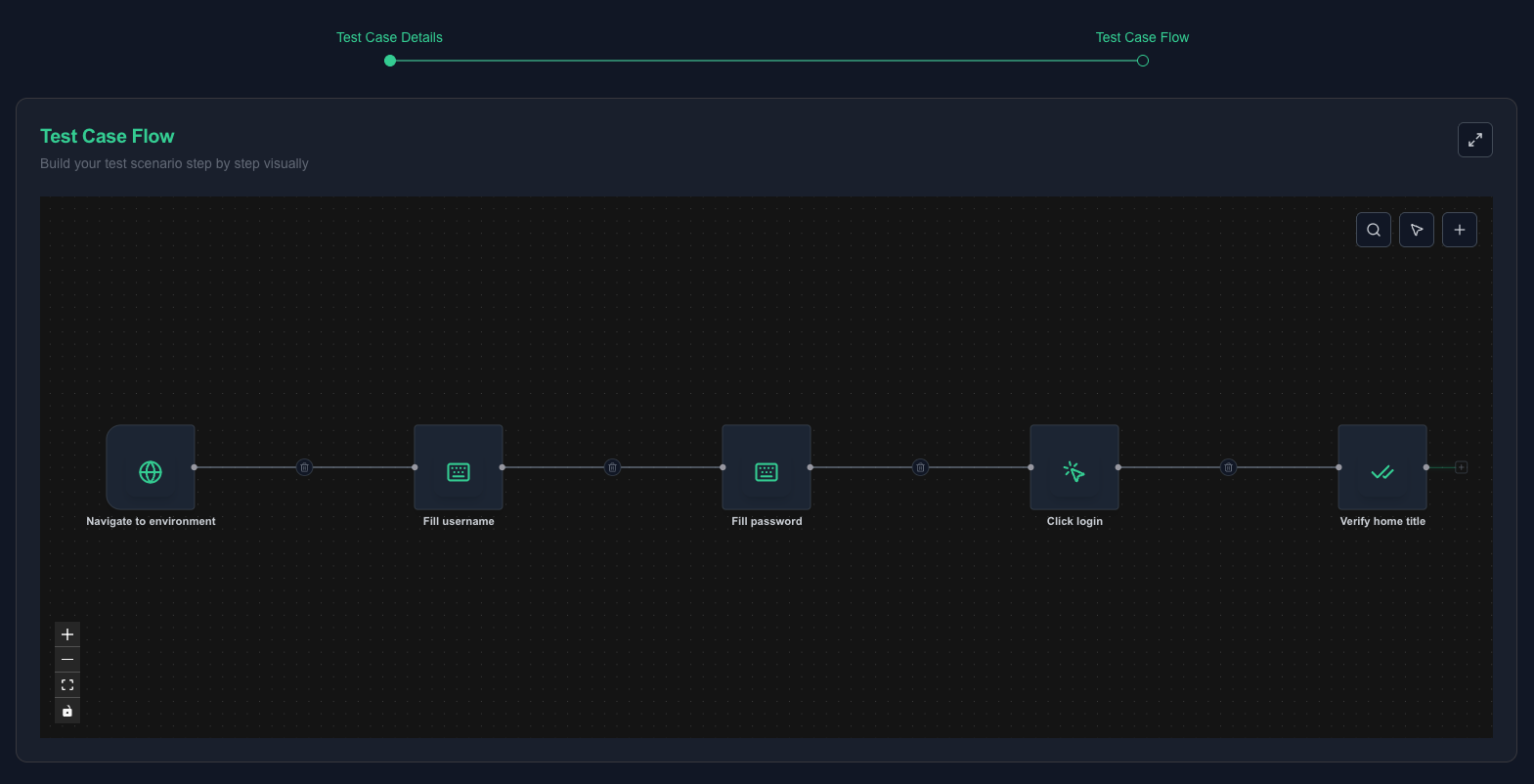
- Test case flow -> a flow builder for building tests visually so users can create automated tests with less friction
Do this
Section titled “Do this”- Go to
Test Cases -> Create. - Add title (min 3 chars) and description.
- Select an existing test suite or create one from the test case form.
- Optionally select existing tags or create tags from the same flow.
- Build the flow in the flow builder.
- Add steps from the node addition sidebar.
- Create or select locators from the node addition sidebar when a step needs one.
- Fill required parameters for each step.
- Save.
Here is a demo of the test case editor in action.
Quick sanity check
Section titled “Quick sanity check”Before saving, confirm that the case has:
- A navigable flow from start to input, click, and assertion steps
- No missing parameters
- A live Gherkin preview updating from the flow
- Suite, tags, and any needed locators created or selected without leaving the creation flow
Here are screenshots of a completed test case form.
Minimal example
Section titled “Minimal example”- Title:
Valid login shows welcome banner - Suite:
Auth SmokeunderAuthentication - Tags:
@smoke,@auth - Steps: navigate, fill email, fill password, click submit, assert banner visible
Flow builder tools
Section titled “Flow builder tools”The flow builder includes helper tools that make test scenarios easier to define and review. Blocks, search, and full-screen mode also make the intent of a flow easier to understand when it is shared with teammates.
Blocks
Section titled “Blocks”Use blocks to group related nodes, such as login setup, form submission, and post-login assertions. Blocks make larger flows easier to scan and help reviewers understand which nodes belong to the same intent.
Search
Section titled “Search”Use search to find existing nodes quickly when reviewing, editing, or fixing a flow. This is especially useful when a case has many actions and assertions.
Full-screen mode
Section titled “Full-screen mode”Use full-screen mode when a complex flow needs more working space. It gives the flow builder more room while you add nodes, connect steps, and inspect parameters.
What good looks like
Section titled “What good looks like”- Keep one business outcome per test case.
- Use clear step labels and stable locator references.
- Use blocks when related nodes should be understood together.
- Use search before manually scanning a large flow.
- Use full-screen mode when the builder needs more working space.
- Use template test cases for repeated patterns.