
Test Runs
Test runs execute cases by tag selection or explicit case selection.
Workflow context
Section titled “Workflow context”Test runs are the handoff from authored assets into execution. This is where you decide exactly what should run and under which conditions.
Do this
Section titled “Do this”- Go to
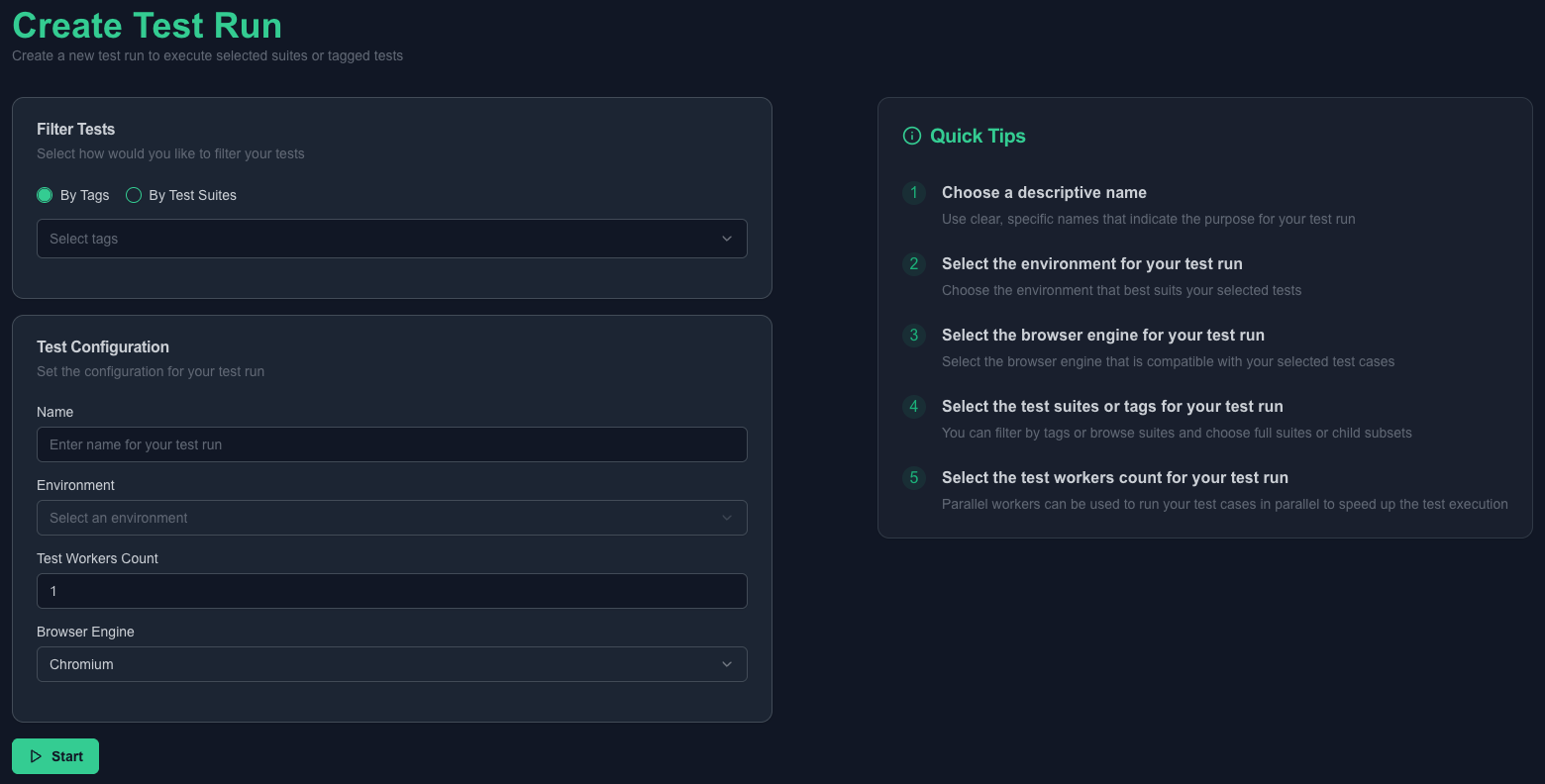
Test Runs -> Create. - Choose selection mode (
By TagsorBy Test Cases). - Provide run
Name. - Select
Environment. - Set
Test Workers Count(minimum 1). - Select
Browser Engine(CHROMIUM,FIREFOX,WEBKIT). - Submit.
Below is a screenshot of the test runs creation screen.
Minimal example
Section titled “Minimal example”- Name:
auth-smoke-local-chromium - Selection mode:
By Tags - Tag:
@smoke - Environment:
Local
What good looks like
Section titled “What good looks like”Use the details screen to inspect:
- Current run status and result.
- Linked test cases and selection scope.
- Run logs and trace artifacts.
- Linked report access after completion.