
Settings
Run and analyze
The most important Settings workflow for day-to-day use is Sync. Use it when files changed outside the UI, when entities look stale, or when generated artifacts and the database stopped agreeing.
Workflow context
Section titled “Workflow context”Do this
Section titled “Do this”- Open
Settings -> Sync. - Review the pending-count badges to see which asset types are out of sync.
- Run a specific tile when you know the affected area, or use
Sync Allwhen the drift is broad. - Let AppraiseJS run prerequisites in the correct order.
- Re-open the page or affected entity list to confirm pending counts dropped.
The page should show users exactly where the recovery controls live before they assume they need scripts. Keep the screenshot anchored here so the visual confirmation appears at the same moment as the recovery steps.
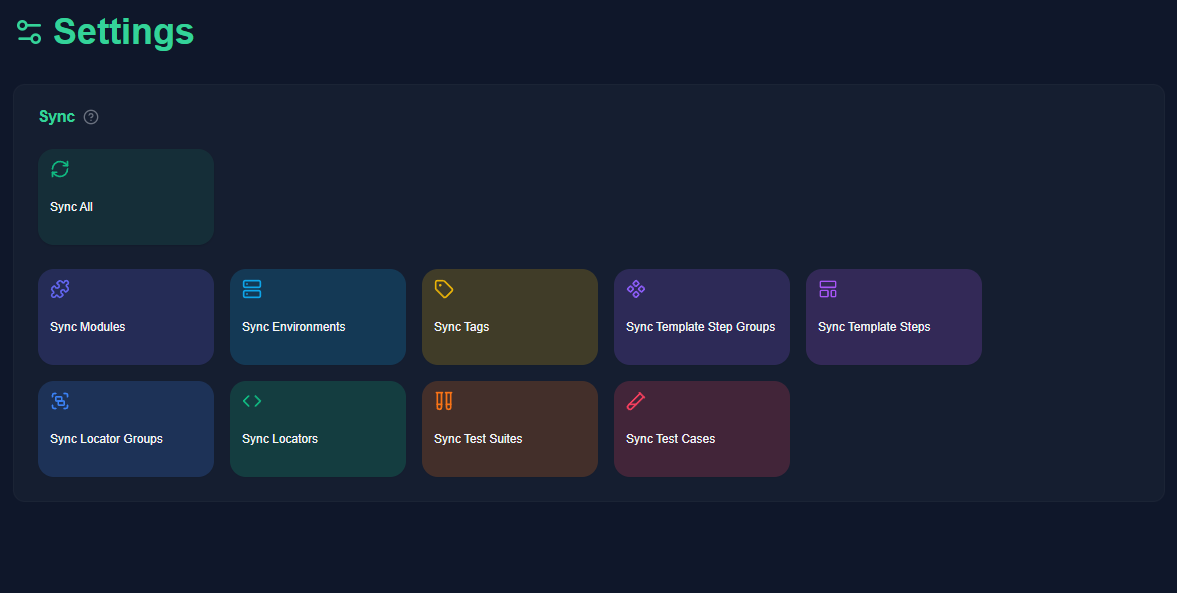
Once that screen is available, users should be able to confirm success by watching the pending counts drop and then returning to the affected entities without leaving the UI flow.
Minimal example
Section titled “Minimal example”- You pull a branch that changed locator files and test case artifacts.
LocatorsandTest Casesshow pending counts.- Running
Sync Allresolves the prerequisite order automatically.
What good looks like
Section titled “What good looks like”- Pending counts reflect real drift rather than staying stale.
- Entities appear consistently in the UI and generated files after sync.
- You only use CLI maintenance scripts when the UI is unavailable or automation requires it.